mirror of
https://github.com/He4eT/cantor-mx-tastatura.git
synced 2026-05-04 17:37:24 +00:00

2.5 KiB
2.5 KiB
Cantor MX Tastatura
Cantor MX Keyboard by the Decentrala comunity.
Configuration for the 8MHz version of Blackpill_f411 provided by the Xecut hackspace.
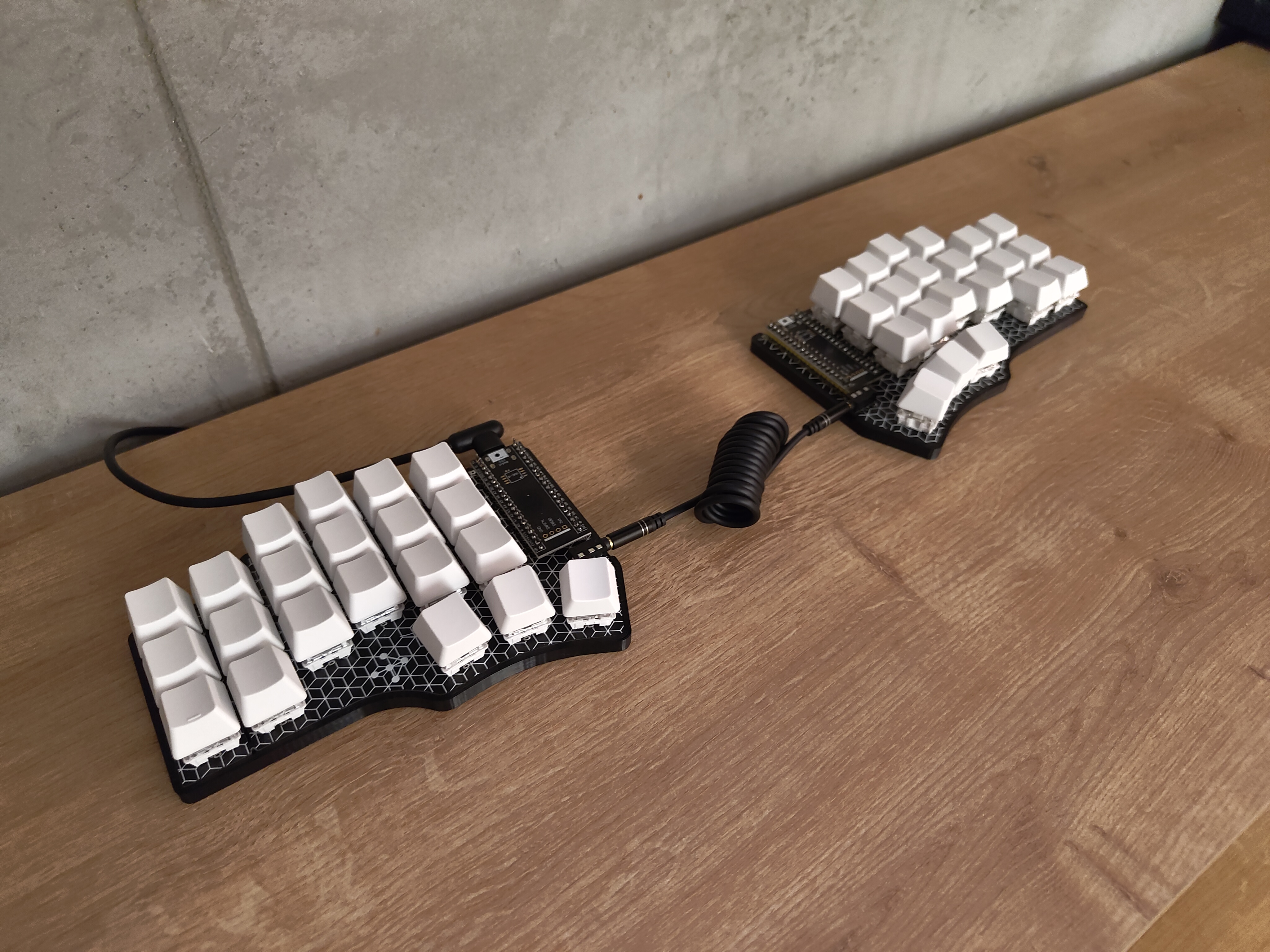
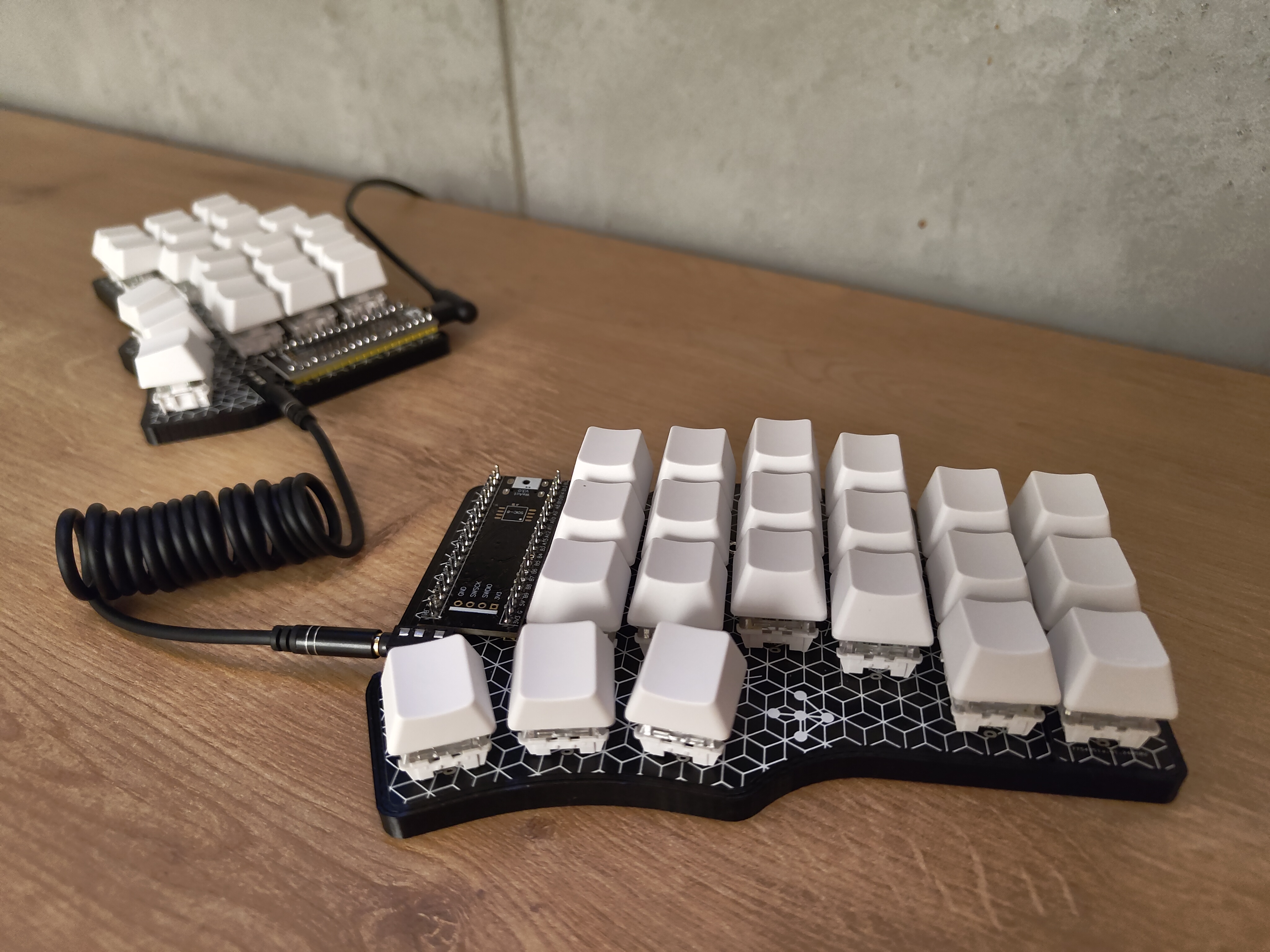
"Tastatura" is the Serbian word for "keyboard".
Initial Flash
- Clone this repository:
git clone --recurse-submodules git@github.com:He4eT/cantor-mx-tastatura.git cd cantor-mx-tastatura - Connect the left controller to your computer using a USB cable.
- Start flashing proccess (Docker required):
- For 8MHz Blackpill_f411 controllers:
make flash blackpill=f411-8mhz half=left - Otherwise:
make flash half=left
- For 8MHz Blackpill_f411 controllers:
- Use the onboard
BOOT0andNRSTbutton to put the board into bootloader mode:- press and hold the
BOOT0button; - press and release the
NRST(Reset) button to power cycle the processor; - release the
BOOT0button; - For additional details, refer to STM32 Black Pill;
- press and hold the
- Repeat the process from step 2 for the right half.
- Download the Vial configurator.
- Linux Only: Configure udev rules for the first launch.
- Open the Vial configurator.
- Optional: Load a layout from
./layouts/.
Layouts
Default
By default, the Cantor Vial layout from the vial-qmk repository is used.
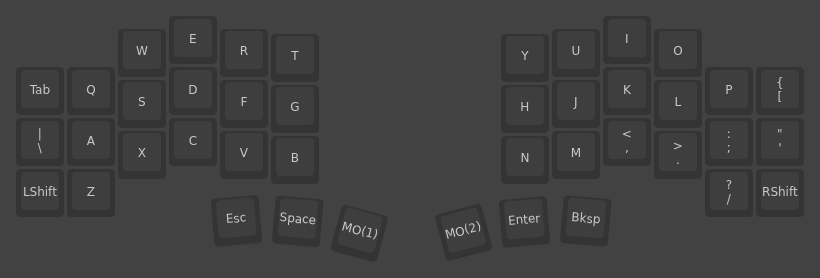
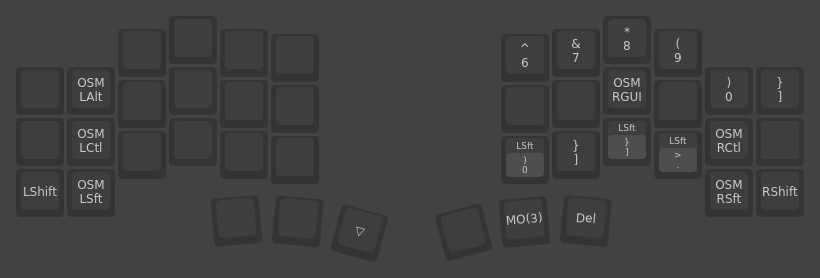
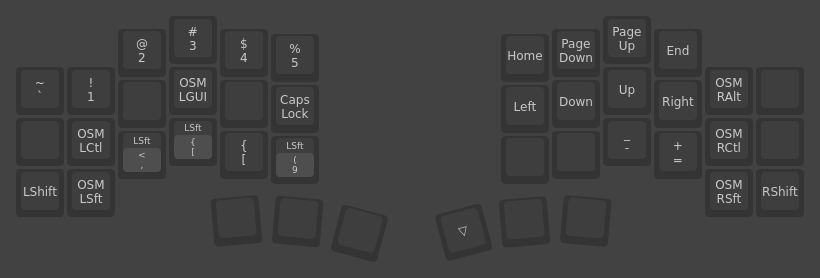
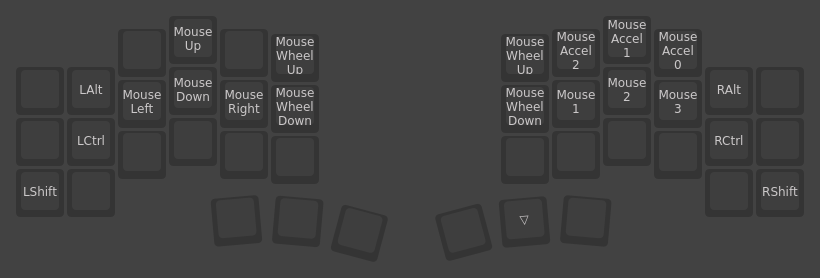
My Opinionated Layout
./layouts/odd_cantor_tastatura.vil
Check out this forum thread for some explanations.
Base Layer
Right Hand Layer
Left Hand Layer
Mouse Layer
Case
./things/case_slim.stl
The Cantor MX Slim Case is a remix of the Cantor MX Case by @JellyTitan.