mirror of
https://github.com/He4eT/cantor-mx-tastatura.git
synced 2026-05-04 17:37:24 +00:00

1.9 KiB
1.9 KiB
Cantor MX Tastatura
It's my personal layout for the custom build of the Cantor MX Keyboard by the Decentrala comunity.
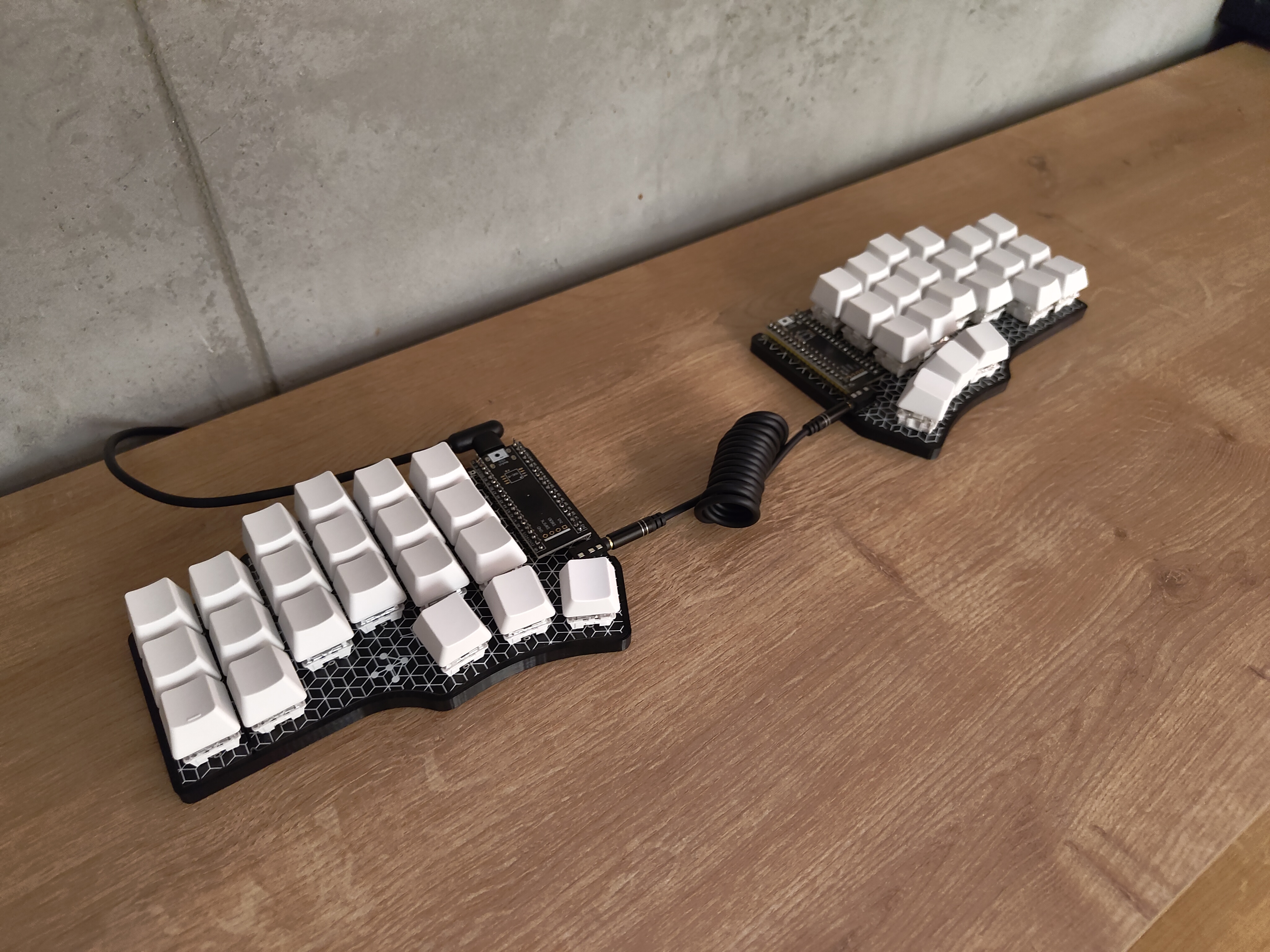
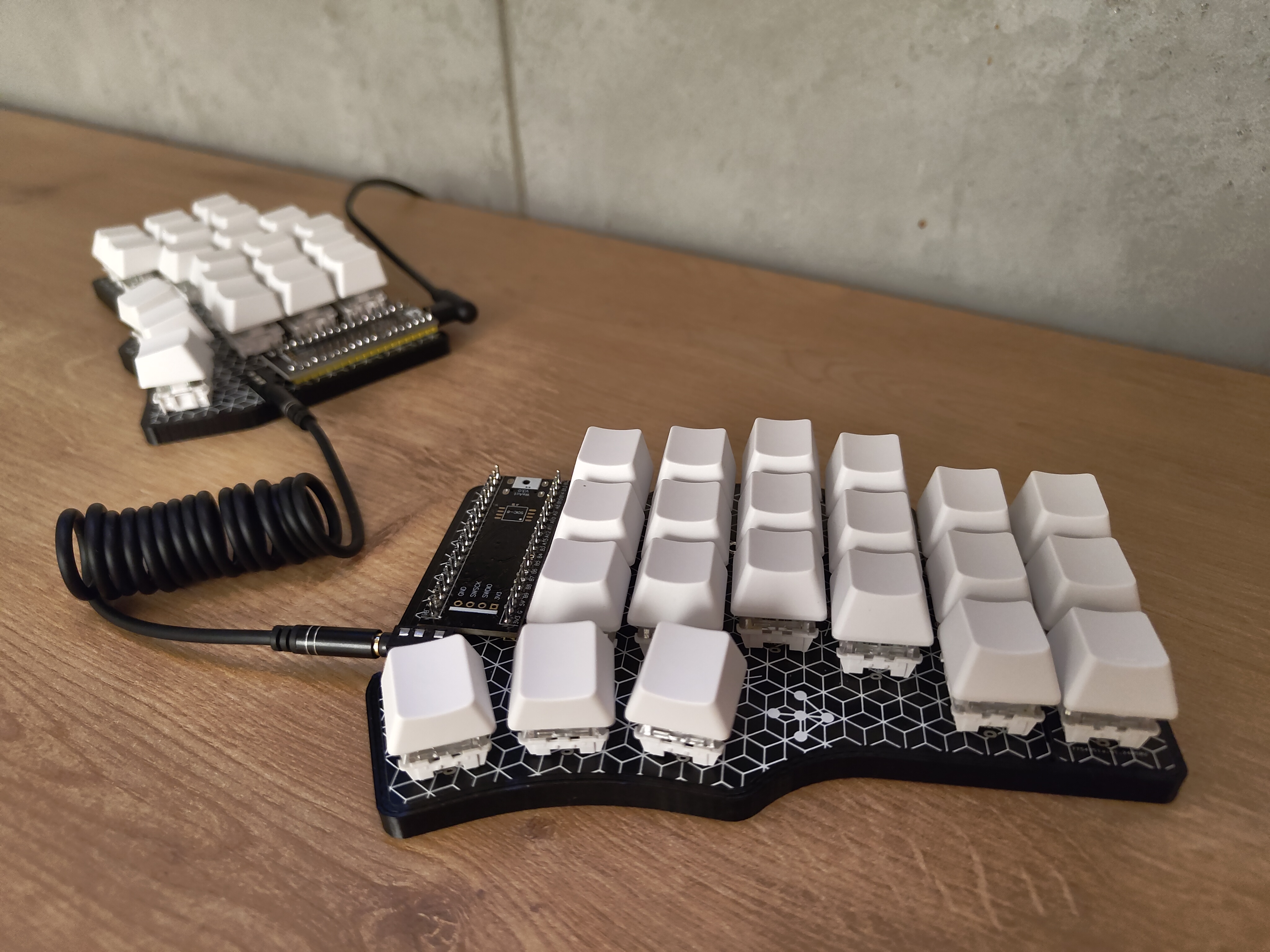
"Tastatura" is the Serbian word for "keyboard".
Initial Flash
- Clone the Vial repository:
git clone --recurse-submodules git@github.com:vial-kb/vial-qmk.git cd vial-qmk - [Optional] Change the layer count in the config:
vial-qmk/keyboards/cantor/keymaps/vial/config.h - Connect the controller to your computer using a USB cable
- Start the flashing process for the controller (Docker required):
sudo util/docker_build.sh cantor:vial:flash - Use the onboard BOOT0 and NRST button to put the board into bootloader mode:
- press and hold the BOOT0 button
- press and release NRST (reset) button to power cycle the processor
- release BOOT0 button
- For additional details, refer to: STM32 Black Pill
- Repeat the flashing process for the second controller.
- Download the Vial configurator: https://get.vial.today/
- [Linux Only] Configure udev rules for the first launch: https://get.vial.today/manual/linux-udev.html
- Open the Vial configurator.
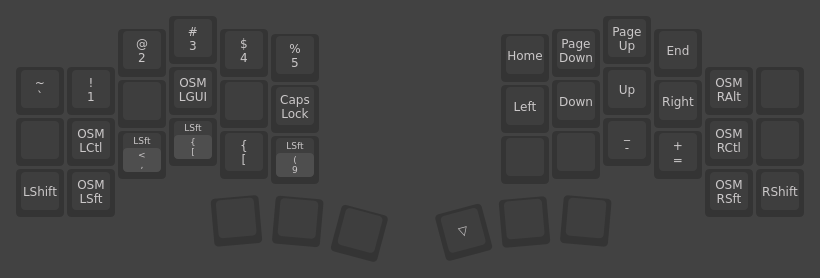
Layout
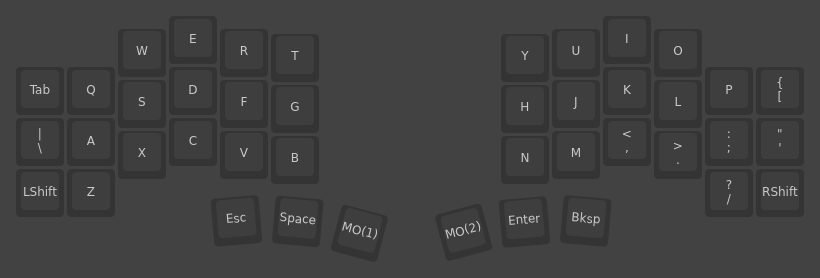
Base Layer
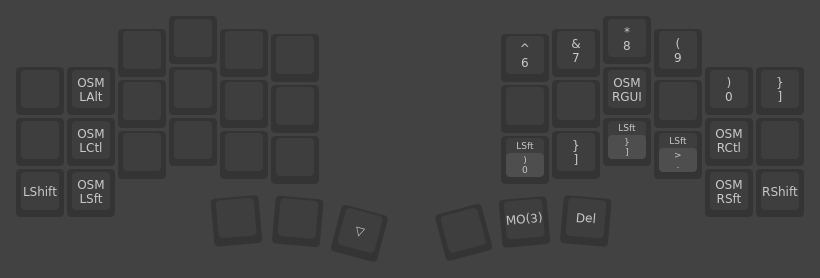
Right Hand Layer
Left Hand Layer
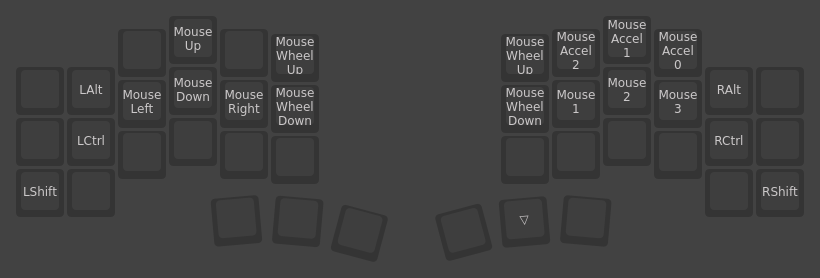
Mouse Layer
Case
The Cantor MX Slim Case is a remix of the Cantor MX Case by @JellyTitan.