- TypeScript 99.4%
- Dockerfile 0.6%
| Filename | Latest commit message | Latest commit date |
|---|---|---|
| config | ||
| database/migrations | ||
| docs/images | ||
| public | ||
| src | ||
| types/generated | ||
| .dockerignore | ||
| .env.example | ||
| .gitignore | ||
| .prettierrc.json | ||
| docker-compose.yml | ||
| Dockerfile | ||
| favicon.png | ||
| LICENSE | ||
| package-lock.json | ||
| package.json | ||
| README.md | ||
| tsconfig.json | ||


Simple SpaceAPI
A lightweight SpaceAPI server with both web and REST interfaces.
Built with Node.js and Strapi.
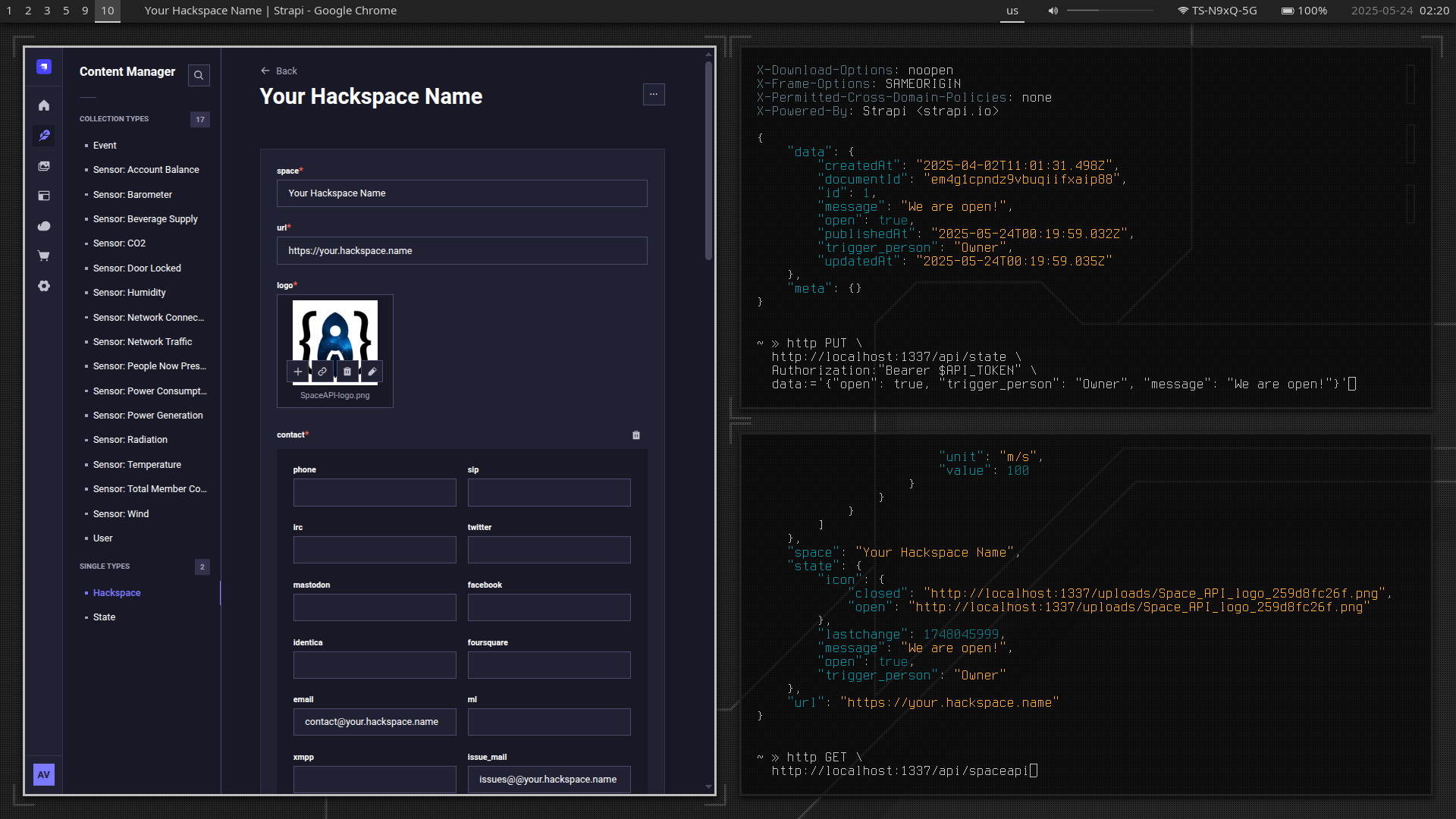
Quick Start
Install dependencies and start the server in development mode:
npm install
npm run develop
Most files are autogenerated.
The main entry point is ./src/api/spaceapi/controllers/spaceapi.ts.
Usage
All endpoint data can be added or modified via the admin panel or through the REST API.
To list all available API endpoints, use the Strapi CLI:
npm run strapi routes:list
API Tokens
To update data, you need an API token.
Tokens can be generated and managed in the admin panel, under
Settings → API Tokens.
You can also define token-specific permissions there.
For more details, see the Strapi API Tokens Documentation.
Examples
Some example requests using the HTTPie CLI:
Get the Main SpaceAPI Endpoint Info
http GET http://localhost:1337/api/spaceapi
Update the Hackspace State
API_TOKEN=your-token-here
http PUT \
  http://localhost:1337/api/state \
  Authorization:"Bearer $API_TOKEN" \
  data:='{
    "open": true,
    "trigger_person": "Owner",
    "message": "We are open!"
  }'
Update a Sensor
API_TOKEN=your-token-here

# Discover the `documentId` for the Sensor
http GET \
  http://localhost:1337/api/temperature-sensors \
  Authorization:"Bearer $API_TOKEN"

DOCUMENT_ID=nrfn2800pexpwxuhqikzr7xa

http PUT \
  http://localhost:1337/api/temperature-sensors/$DOCUMENT_ID \
  Authorization:"Bearer $API_TOKEN" \
  data:='{
    "unit": "°C",
    "value": 25
  }'
Caveats
Timestamps
Simple SpaceAPI does not attempt to be smart about timestamps,
so any successful request will update the corresponding lastchange field.
For example, if you set the hackspace state to "closed"
and repeat the same request the next day,
the lastchange field will be updated.
Validation
While Simple SpaceAPI performs basic data validation, it's still possible to produce invalid SpaceAPI JSON.
Always validate your endpoint using the SpaceAPI Validator.
Units
Due to some Strapi limitations, certain sensor units must be replaced with aliases in API requests:
- Humidity Sensor: use
percentsinstead of% - Wind Sensor: use
degreeinstead of°
The main SpaceAPI endpoint will display the correct units.
Sensor Structure
While Simple SpaceAPI follows the general SpaceAPI format, the internal structure of some sensors is simplified:
- Radiation sensors (
alpha,beta,gamma,beta_gamma) are unified into a singleradiationtype. The exact subtype can be specified using thetypefield.
Deployment
Coming soon.