mirror of
https://github.com/He4eT/cantor-mx-tastatura.git
synced 2026-09-17 15:10:57 +00:00
Custom 42 key diodeless split keyboard with the Vial support.
- C 91.5%
- Makefile 5.6%
- Shell 2.9%
| Filename | Latest commit message | Latest commit date |
|---|---|---|
| config/cantor | ||
| images | ||
| layouts | ||
| things | ||
| LICENSE | ||
| README.md | ||

Cantor MX Tastatura
It's my personal layout for the custom build of the Cantor MX Keyboard by the Decentrala comunity.
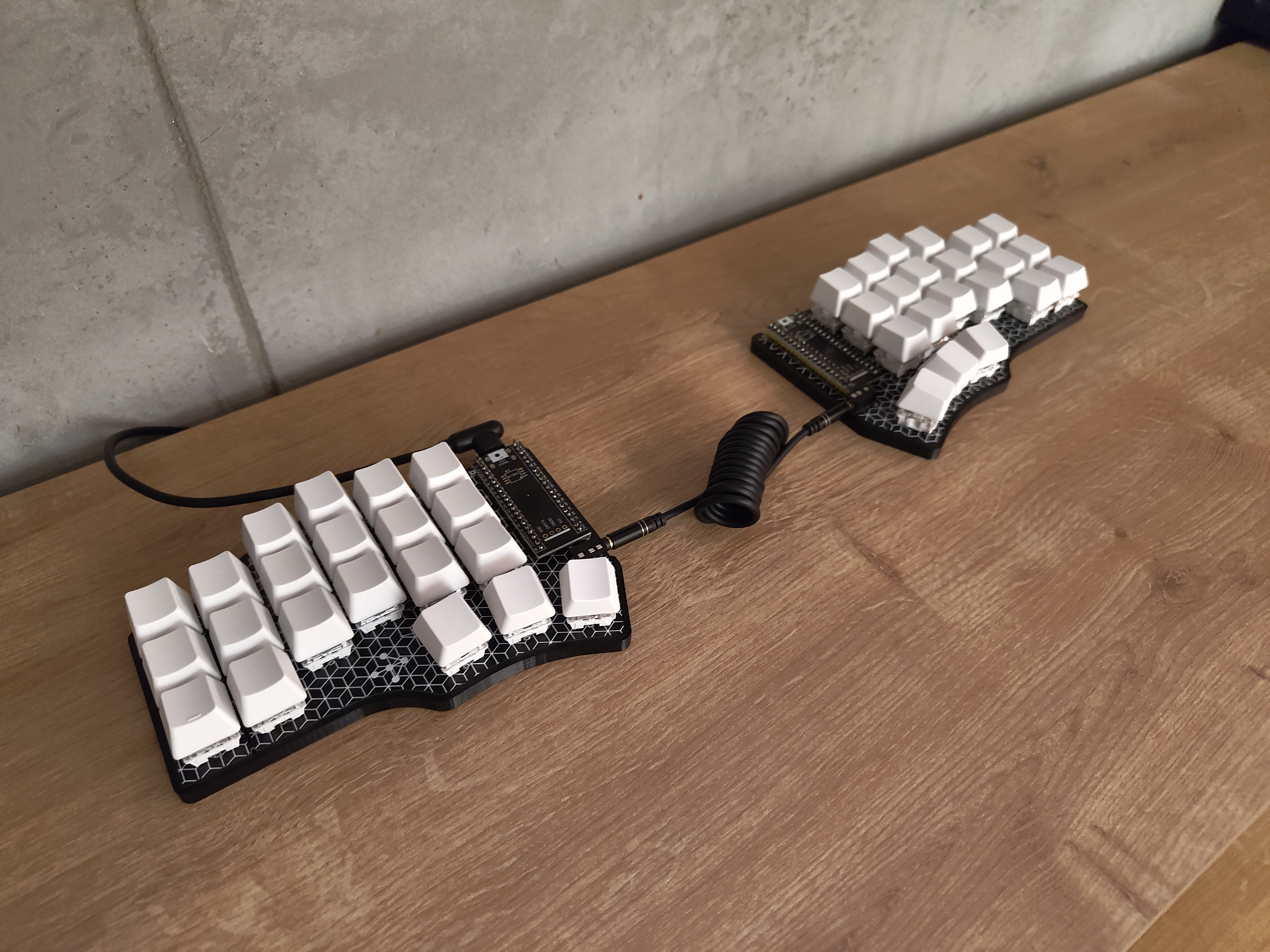
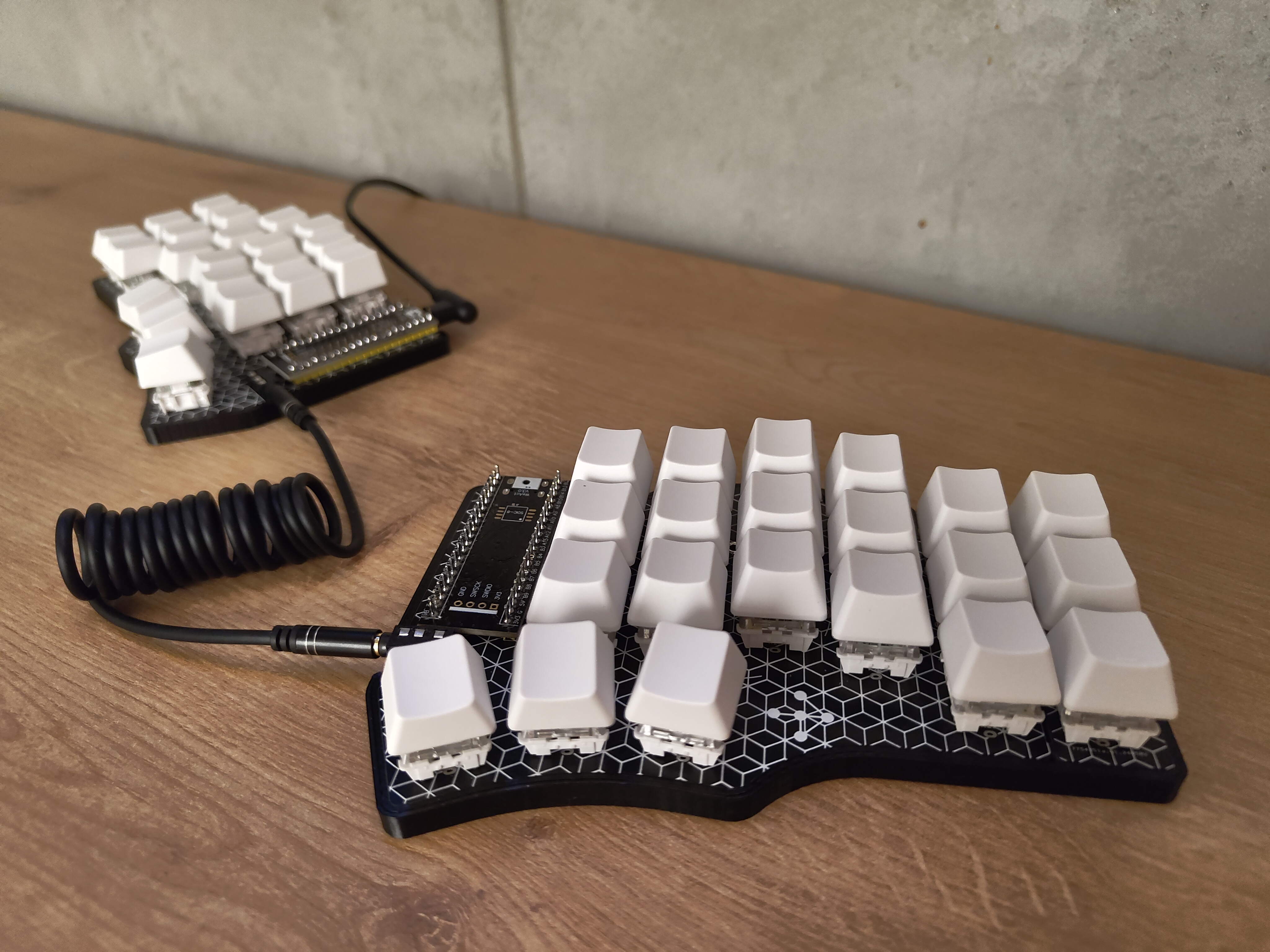
"Tastatura" is the Serbian word for "keyboard".
Initial Flash
-
Clone the Vial repository:
git clone --recurse-submodules git@github.com:vial-kb/vial-qmk.git cd vial-qmk -
Connect the controller to your computer using a USB cable
-
Update configs:
-
Blackpill, 25MHz
- Optional: add
#define EE_HANDSinvial-qmk/keyboards/cantor/keymaps/vial/config.h
- Optional: add
-
Blackpill (f411), 8MHz
- Replace content of the
vial-qmk/keyboards/cantorwith files from./config/cantor/.
- Replace content of the
-
-
Start the flashing process for the controller (Docker required):
- With EE_HANDS in config (each half respectively):
sudo util/docker_build.sh cantor:vial:dfu-util-split-left sudo util/docker_build.sh cantor:vial:dfu-util-split-right - Without EE_HANDS in config (left half will be the master half):
sudo util/docker_build.sh cantor:vial:flash
- With EE_HANDS in config (each half respectively):
-
Use the onboard BOOT0 and NRST button to put the board into bootloader mode:
- press and hold the BOOT0 button
- press and release NRST (reset) button to power cycle the processor
- release BOOT0 button
- For additional details, refer to: STM32 Black Pill
-
Repeat the flashing process for the second controller.
-
Download the Vial configurator: https://get.vial.today/
-
Linux Only: Configure udev rules for the first launch: https://get.vial.today/manual/linux-udev.html
-
Open the Vial configurator.
Layout
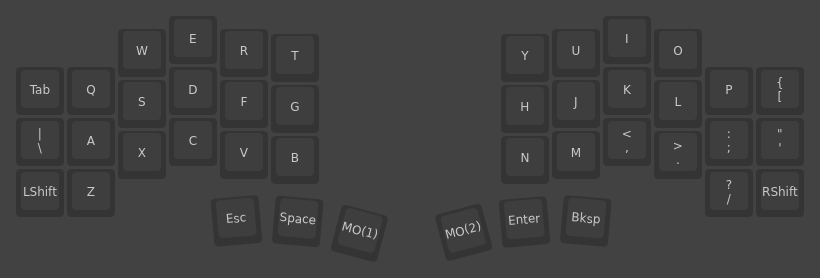
Base Layer
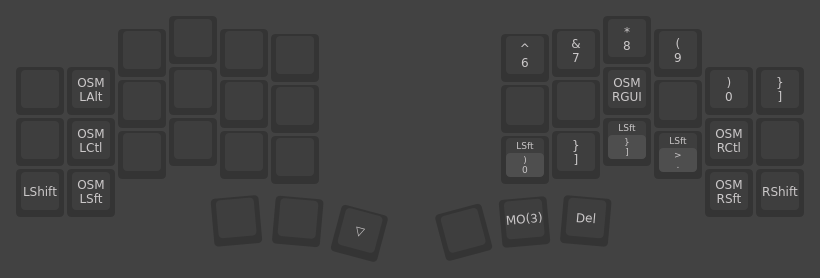
Right Hand Layer
Left Hand Layer
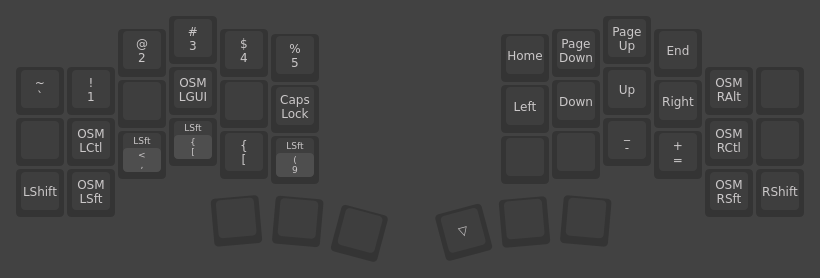
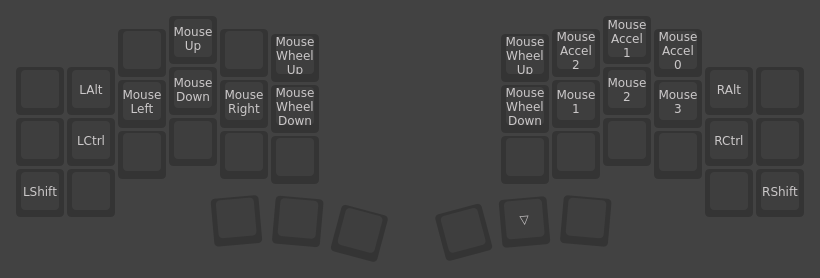
Mouse Layer
Case
The Cantor MX Slim Case is a remix of the Cantor MX Case by @JellyTitan.